Coding homeschool curriculum: computer science unit study for K-12
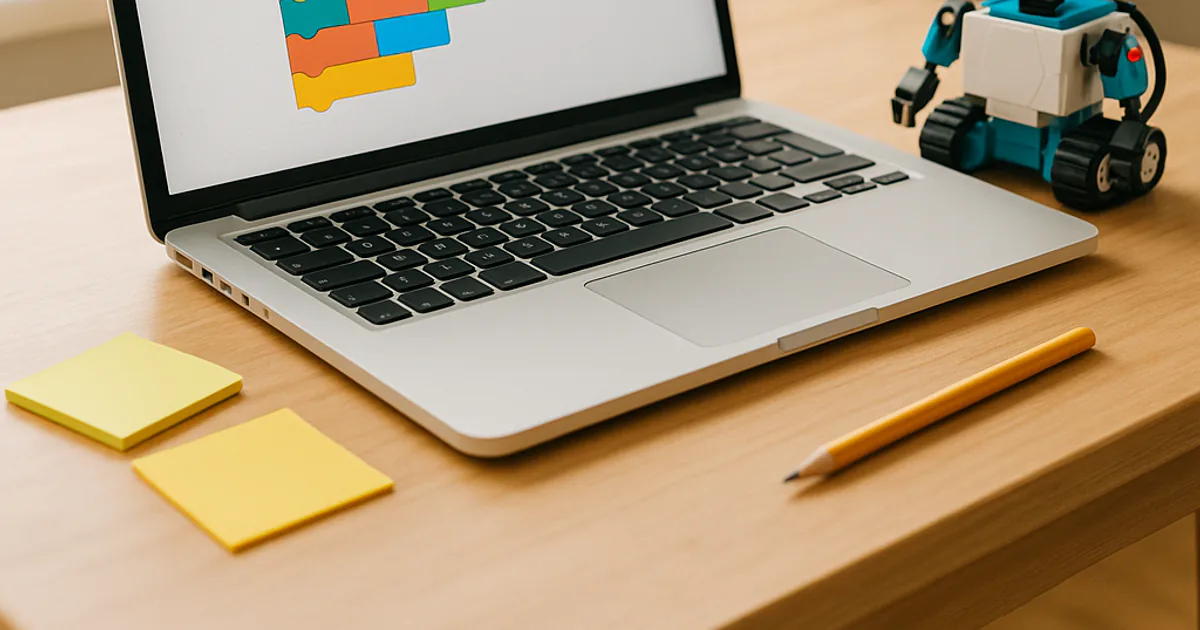
Coding is the one subject where a homeschooler's tools are exactly the ones professionals use, all of them free, and where a ten-year-old can build something real by Friday. A coding curriculum is not about a particular app; it is about learning to break a problem into steps, express those steps precisely enough for a machine to follow, and then find out — immediately and unambiguously — whether you were right. That loop of plan, build, test and fix is the whole discipline, and it starts on paper before any screen is involved.
This guide runs the path most computer-science educators now agree on: unplugged algorithms and paper 'robots' for the youngest children, block-based programming in Scratch for the elementary and early middle years, and a deliberate move to typed Python once a child can read fluently and wants more control than blocks give. Every tool named here is free, most run in a browser on whatever computer you already own, and the six-week scope and sequence produces a portfolio of working programs rather than a certificate.
A sample week
Reading & Writing
Read the story of Ada Lovelace writing the first published algorithm for a machine that was never built, then write a set of instructions for making a sandwich so exact that a parent playing a literal-minded robot cannot get it wrong. Revise after the first failure.
Math
Program a pattern: in Scratch, make a sprite draw a square, then a triangle, then any regular polygon from a variable number of sides, working out the turning angle (360 divided by the sides) before typing it in.
Science
Build a simple simulation — a bouncing ball with gravity in Scratch or a population that doubles each generation in Python — change one starting value at a time, and record how the output changes, exactly like a lab.
Social Studies
Trace the history of computing from the abacus through Babbage, the codebreakers of Bletchley Park and the ENIAC programmers to the first personal computers, and mark each on a timeline with what problem it was built to solve.
Art
Make generative art: a program that draws hundreds of shapes with random sizes, colors and positions, then constrain the randomness step by step until the result looks deliberate. Print the best one.
Get the 6-week planner + new unit ideas
A print-ready PDF of this coding & computer science unit study — the six-week scope and sequence, grade-band notes, reading list and FAQs — plus an occasional email when a new interest guide goes up.
Adapting by grade
K-2 learners do most of the work without a computer: sequencing cards, giving a blindfolded parent step-by-step directions, and finding the bug when the steps go wrong. ScratchJr on a tablet, with its picture blocks, is the only screen tool they need.
Middle and high schoolers move to real languages. Python is the right first typed language — readable, free, and used everywhere from science labs to web companies — and a teenager who finishes the 9-12 band here has done the equivalent of an introductory programming course.
Activities by grade band
Grades K-2: algorithms without a screen
Young children can learn what an algorithm is by being one: following exact steps, giving exact steps, and noticing when a step is missing. A K-2 coding unit is sequencing, simple repetition and 'if this, then that' done with cards, floor grids and a parent playing a very literal robot, plus a picture-block app once the ideas are solid. Reading is not required; precision is.
- Robot parent: draw a grid on the floor with tape, place a toy at the far end, and have the child give one command at a time — forward, turn left, turn right — to move a blindfolded parent to it. When the parent walks into a wall, the child finds the wrong step and fixes it: that is debugging.
- Sequence cards: draw the steps of brushing teeth or making toast on separate cards, shuffle them, and put them back in order. Then remove one card and act out the routine exactly as written to see what goes wrong.
- Loop hunt: find repeated patterns in a song, a bead necklace or a dance and write them as 'repeat 4 times' instructions. Build a paper-chain pattern from the instruction and check that a sibling gets the same chain.
- ScratchJr story: on a tablet, make a character walk across the screen, say something and jump when tapped, using the picture blocks. Add a second character that starts when the first one finishes.
Reading suggestion: How to Code a Sandcastle by Josh Funk, in which a girl and her robot break a beach project into steps, loops and if-thens, and Hello Ruby: Adventures in Coding by Linda Liukas, a story with unplugged activities in the back.
Grades 3-5: building real projects in Scratch
Upper elementary students can build complete programs in Scratch — games, animations and interactive stories with events, loops, conditionals and variables — and can begin decomposing a big idea into parts they build one at a time. The key habit at this age is testing as you go and keeping a plan on paper. By the end of the band, a child should be able to look at a simple game and explain how they would build it.
- Build a catch game in Scratch: a sprite moves with the arrow keys, objects fall from random positions, a score variable goes up on each catch, and the game ends after a set time. Plan the parts on paper first, build one at a time, and test each before adding the next.
- Polygon drawing: use the pen blocks to draw a square with a repeat loop, then a triangle, then any regular polygon from a 'sides' variable, working out the turn angle by hand first. Then nest a loop to draw a spirograph pattern.
- Debug a broken program: take a project someone else wrote (Scratch's tutorials and the Coding Games in Scratch book both provide them), introduce one deliberate bug, swap with a sibling or parent, and find each other's bugs by reading the code and testing.
- Interactive story with branches: write a short choose-your-own-adventure on paper with at least three decision points, then build it in Scratch with 'ask' blocks and if-then branches, and have three people play through different paths.
Reading suggestion: Coding Games in Scratch by Jon Woodcock (DK), a step-by-step build of eight games that teaches the concepts on the way, and Secret Coders by Gene Luen Yang, a graphic-novel series with real logic puzzles in the plot.
Grades 6-8: from blocks to Python
Middle schoolers can make the move from blocks to typed code, and Python is the language to make it with. The concepts are the same — variables, loops, conditionals, functions — but now they are written, so precision and reading error messages become the work. This is also the age for flowcharts and pseudocode before coding, for programs that process real data, and for a first look at how software shapes daily life.
- Translate a Scratch project into Python: take the catch game or the polygon drawer, write out its logic as pseudocode, then rebuild it in Python using the turtle module (built in, no installation) and compare the two side by side.
- Write a number-guessing game in Python with a loop, an if-elif-else chain, input validation and a guess counter, then extend it so the computer guesses the player's number by halving the range each time — and explain why it never needs more than seven guesses for 1 to 100.
- Process real data: load a text file of daily temperatures (or your own pollinator counts, pulse readings or book log from another unit) into a Python list, and compute the mean, maximum, minimum and the longest run above the mean. Print a bar chart made of asterisks.
- Read about one algorithm that makes decisions about people — a recommendation feed, a loan score, a school assignment lottery — and write a page on what inputs it uses, who wrote it, and what it should not be allowed to decide.
Reading suggestion: Python for Kids by Jason R. Briggs, a friendly, genuinely complete introduction with turtle graphics and two games, and Lauren Ipsum by Carlos Bueno, an Alice-in-Wonderland style story that smuggles in real computer-science ideas.
Grades 9-12: a real introductory programming course
High schoolers can complete the equivalent of a first college programming course: functions with parameters and return values, lists and dictionaries, file input and output, error handling, and a project of their own design built over several weeks. Done with a documented portfolio, six weeks here is a solid opening unit of a computer-science credit, and the free Harvard CS50 course on the resource list can carry the rest of the year.
- Build a command-line tool that solves a real household problem — a chore rotation generator, a recipe scaler, a reading-log tracker — with functions, a data file it reads and writes, and clear error messages when the input is wrong. Write a README that explains how to use it.
- Implement two sorting algorithms (bubble sort and merge sort) from a description rather than from copied code, time each on lists of 100, 1,000 and 10,000 random numbers, graph the results, and explain the difference in terms of how the work grows with the input size.
- Automate something tedious with Python — rename a folder of photos by date, pull the headlines from a public RSS feed, or turn a spreadsheet of grades into a report — following the approach in Automate the Boring Stuff with Python, and document the hours it will save.
- Complete the first problem sets of Harvard's free CS50x course (Scratch, then C or Python depending on the track), keep a log of every bug and how it was found, and write a one-page reflection on what changed in how you approach a problem.
Reading suggestion: Automate the Boring Stuff with Python by Al Sweigart, free to read online and the best practical introduction in print, paired with the official Python tutorial at python.org for the language reference a credit needs.
Six-week scope and sequence
| Week | Focus | Key activity | Output |
|---|---|---|---|
| 1 | What an algorithm is | Robot parent on a floor grid; sequence cards; the sandwich instructions; older students write pseudocode and flowcharts for an everyday routine and for a guessing game. | A written algorithm that another person can follow exactly, with the revisions from the first failed run. |
| 2 | Sequences, loops and events | First Scratch (or ScratchJr) projects: an animation, then the polygon drawer with repeat loops; Python students write their first loops with the turtle module. | A working program that draws a pattern from a loop, with the turn angle worked out on paper. |
| 3 | Conditionals, variables and a game | Build the catch game or the number-guessing game; add scoring, a timer and difficulty; plan on paper, build one part at a time, test each. | A playable game with a written plan showing how it was broken into parts. |
| 4 | Debugging and data | Swap deliberately broken programs and fix them; keep a bug log; older students load a real data file and compute summaries; a first look at sorting. | A bug log with at least five bugs, each with the symptom, the guess and the fix. |
| 5 | Computing and people | Timeline from Babbage and Lovelace to the personal computer; the Bletchley codebreakers; the ethics discussion on algorithms that decide things about people. | An illustrated timeline or a one-page argument on what an algorithm should not be allowed to decide. |
| 6 | Design your own project | Each child proposes, plans, builds and demonstrates a program of their own design; older students write a README and a reflection; the family plays everything. | A finished project with its plan, code, a short user guide and a demonstration. |
Standards this unit covers
- 1A-AP-10 (CSTA) — Develop programs with sequences and simple loops to express ideas or address a problem — the K-2 ScratchJr and sequence-card work.
- 1A-AP-14 (CSTA) — Debug (identify and fix) errors in an algorithm or program that includes sequences and simple loops — the robot-parent grid.
- 1B-AP-10 (CSTA) — Create programs that include sequences, events, loops and conditionals — the 3-5 Scratch games and branching stories.
- 1B-AP-11 (CSTA) — Decompose (break down) problems into smaller, manageable subproblems to facilitate the program development process — the paper plan before every build.
- 2-AP-12 (CSTA) — Design and iteratively develop programs that combine control structures, including nested loops and compound conditionals — the 6-8 Python games and data processing.
- 2-AP-17 (CSTA) — Systematically test and refine programs using a range of test cases — the bug log and input validation.
- 3A-AP-17 (CSTA) — Decompose problems into smaller components through systematic analysis, using constructs such as procedures, modules and/or objects — the 9-12 command-line tool.
- CCSS.MATH.CONTENT.6.EE.A.2 (CCSS Math) — Write, read and evaluate expressions in which letters stand for numbers — variables in every program from week two on.
- CCSS.ELA-LITERACY.W.7.2 (CCSS ELA) — Write informative/explanatory texts to examine a topic and convey ideas clearly — the README, the bug log and the timeline write-ups.
Recommended books, sites and kits
- How to Code a Sandcastle by Josh Funk (Book (K-2)) — Sequences, loops and conditionals told as a beach story; the week-one read-aloud for the youngest.
- Coding Games in Scratch by Jon Woodcock (DK) (Book (3-5)) — Eight complete games built step by step, each introducing a concept; the 3-5 spine.
- Python for Kids by Jason R. Briggs (Book (6-8)) — A full introduction to Python with turtle graphics and two finished games; the 6-8 spine.
- Automate the Boring Stuff with Python by Al Sweigart (Book (9-12)) — Practical Python for real tasks, free to read online in full; the 9-12 spine.
- Scratch and ScratchJr (MIT) (Website) — The free block-based language in the browser, with built-in tutorials, and its tablet version for ages five to seven.
- CS Unplugged (Website) — Free classroom-tested activities that teach computer-science ideas with cards, string and movement, no computer needed; the K-2 and week-one source.
- Code.org CS Fundamentals (Website) — A free, sequenced course of block-based lessons and unplugged activities by grade band, with a parent dashboard.
- CS50x (Harvard, free online) (Video series) — Harvard's introductory computer-science course, lectures and problem sets free to anyone; the path from this unit to a full high-school credit.
Common questions
What should a coding unit study include?
Four things, in order: unplugged thinking (sequences, loops and conditionals acted out or drawn before any screen), block-based programming where the child builds real projects, a deliberate transition to a typed language, and a habit of debugging — reading an error, forming a guess, testing it. The six-week scope and sequence above runs all four and ends with a project the child designed, not a tutorial they followed. The history of computing and the ethics of software give the reading and writing strand.
Which language should we start with?
For children under about ten, Scratch (or ScratchJr for the youngest) — a free visual language from MIT where programs are built from snap-together blocks, so syntax errors are impossible and the child's attention goes to logic. From roughly age ten to twelve, or whenever the child is a fluent reader and starts finding blocks limiting, move to Python. It reads almost like English, runs on any computer, and is the language most universities and science labs teach first. Nothing in this guide requires a paid platform.
I do not know how to code myself. Can I still teach this?
Yes, and many parents learn alongside the child. The free resources on the list — Scratch's own tutorials, Code.org's course sequence and, for Python, the free online book Automate the Boring Stuff — are designed for self-teaching and give feedback the way a teacher would: the program either works or it does not. Your job is to ask the questions a good coach asks: what did you expect to happen, what actually happened, what is the smallest change that would test your guess.
How much screen time is this?
Less than you would think. The K-2 band is mostly paper and movement; in the older bands a good session is thirty to sixty minutes at the keyboard preceded by planning on paper and followed by writing up what was built. The unit deliberately uses a text editor and a browser rather than a games platform, and the projects are things the child makes rather than consumes. Many families find this is the screen time they feel best about.
Do we need a special computer or a robot?
No. Scratch and Python run in a browser or on any laptop or desktop made in the last decade, including a low-cost Chromebook; ScratchJr runs on a tablet. A physical robot or microcontroller (a micro:bit or a Raspberry Pi) is an excellent later extension but not needed for anything here. If your child is drawn to that side, our robots unit study picks up where this one leaves off.
Can I run this with several ages at once?
Yes. The unplugged activities work for everyone in the room, and Scratch projects scale: a six-year-old animates a character, a nine-year-old builds a two-player game, and a twelve-year-old adds score-keeping, variables and a difficulty curve to the same idea. Once the oldest moves to Python, the younger ones can keep building in Scratch on the same weekly theme. The grade-band sections above are written so you can pick one row per child each week.
Does this unit work for secular and faith-based homeschools alike?
Yes. Programming is a formal skill with a right answer the computer gives you, and nothing in this unit depends on a worldview. The history strand covers people from Ada Lovelace to Grace Hopper to Alan Turing, and the ethics week — privacy, what an algorithm should be allowed to decide — is a discussion every family will frame in its own terms. All the tools on the resource list are free and none require an account for a child under thirteen beyond what your family chooses.
How much does a coding unit study cost?
Nothing beyond a computer you already own. Scratch, ScratchJr, Code.org, CS Unplugged, Python and the online books on the resource list are all free; the printed books are library titles. A micro:bit or Raspberry Pi is an optional extra of roughly twenty to sixty dollars for families who want to move into hardware afterwards.
Related curriculum ideas
 Robots & Coding homeschool curriculum
Build a homeschool curriculum around robots and coding — programming, engineering design, math and the ethics of automation, for K-12.
 Minecraft homeschool curriculum
Use Minecraft as a genuine homeschool teaching tool — math, engineering, history builds, creative writing and even economics, for K-12.
 Chess & Strategy homeschool curriculum
A homeschool curriculum built around chess — strategy, mathematics, history and the discipline of thinking ahead, for K-12 learners.
Turn this into a full curriculum
Generate a complete, standards-aligned curriculum around this interest in minutes — free to try, no account required.